 Easy
Easy
Sending and receiving files using Bluetooth
Learn how to exchange files between a desktop computer and a Pi using Bluetooth
The Pi 3 comes with both Wi-Fi and Bluetooth connectivity on-board. Bluetooth is great to hook up nifty input devices, or streaming audio to remote speakers, but exchanging files over Bluetooth won't work out of the box, at least at the time of writing, primarily due to the Bluetooth stack packages being a tad out of date in the Raspbian repository.
So, today we'll show you how to set up the so-called Object Exchange communication protocol aka OBEX to operate over Bluetooth, most importantly allowing you to effortlessly transfer files back and forth between a Pi and another Bluetooth-capable device (which can be another Pi if you wish).
For this tutorial, you'll need:
- A Raspberry Pi 3 (or a Pi 2 equipped with a Bluetooth adapter)
- Another computer, tablet or phone with Bluetooth capabilities
Note that we will be using packages made for ARMv7 computers, pulled directly from the Debian repository, so while it should in theory work on a Pi 2 with an ad hoc Bluetooth adapter, it won't work on anything older than that, or a Pi Zero - at least without compiling a number of things from source (which is beyond the scope of this tutorial).
## Installing the software
If possible you should start from a completely fresh install of Raspbian, although it shouldn't be an issue to run our installer on an existing SD, as long as it's not grossly outdated. To be sure this isn't the case you can use the following commands to get up-to-date:
sudo apt-get update && sudo apt-get upgrade
Next, we've created one of our magic one-line-installer to get everything installed and set up, ready for configuration of the OBEX protocol. Open a new terminal, and type the following:
curl https://get.pimoroni.com/bluetooth | bash
You'll be asked whether you wish to install an updated version of Bluez - say 'y' when prompted. Reboot your Pi at the end of the process, before going any further.
## Step 1
## Step 2
## Step 3
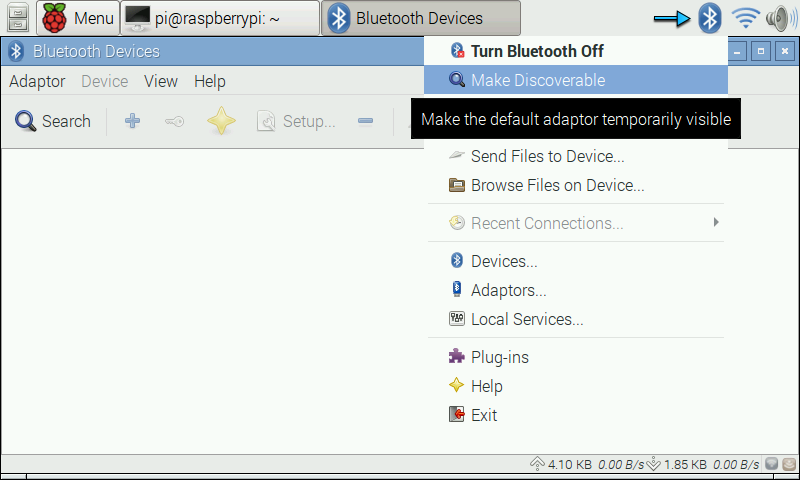
## Step 4
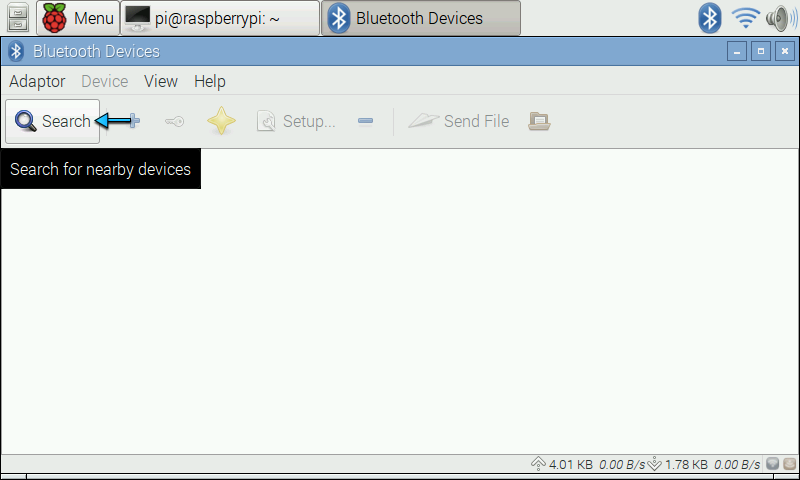
## Step 5
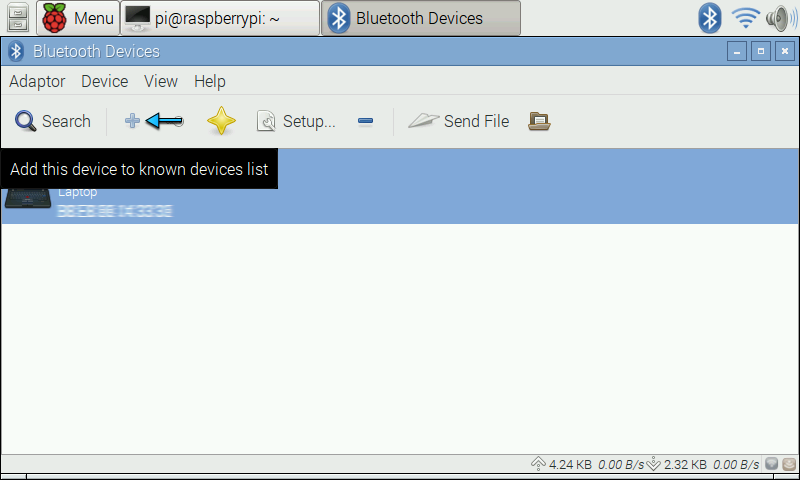
## Step 6
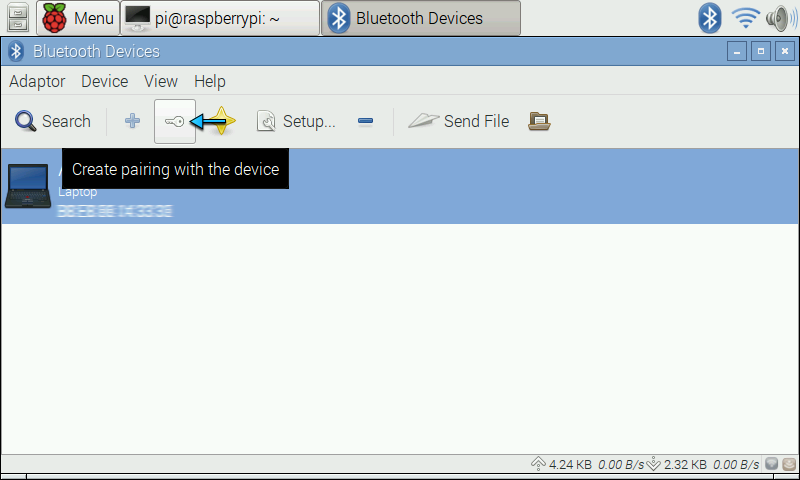
## Step 7
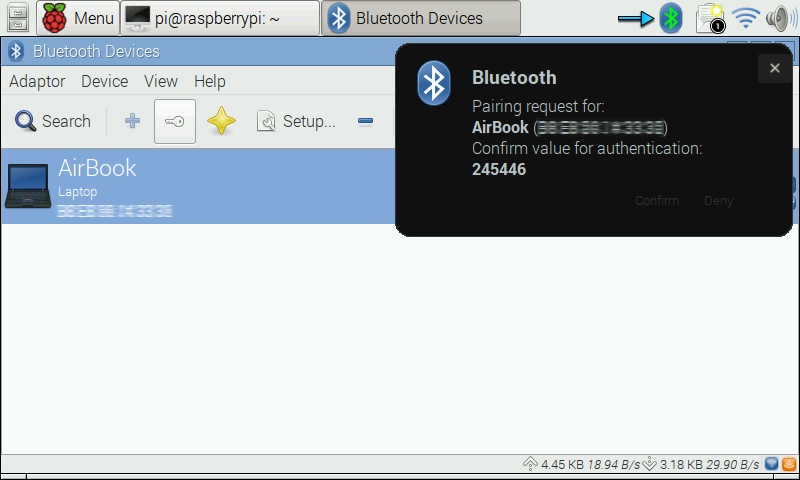
## Step 8
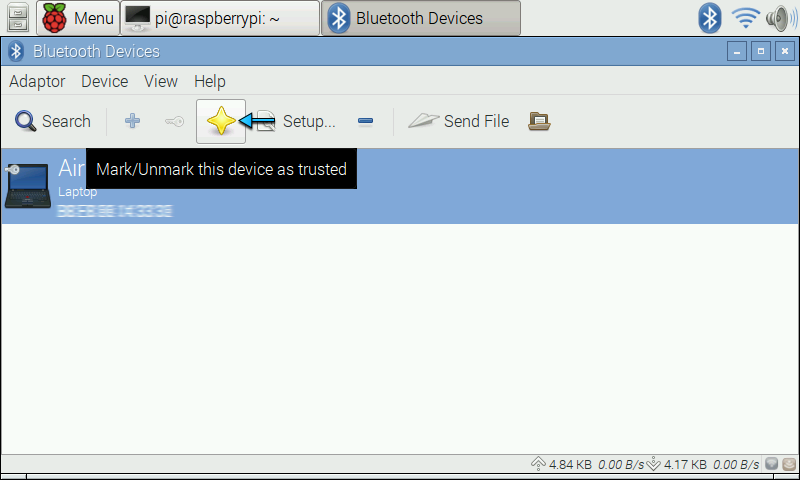
## Step 9
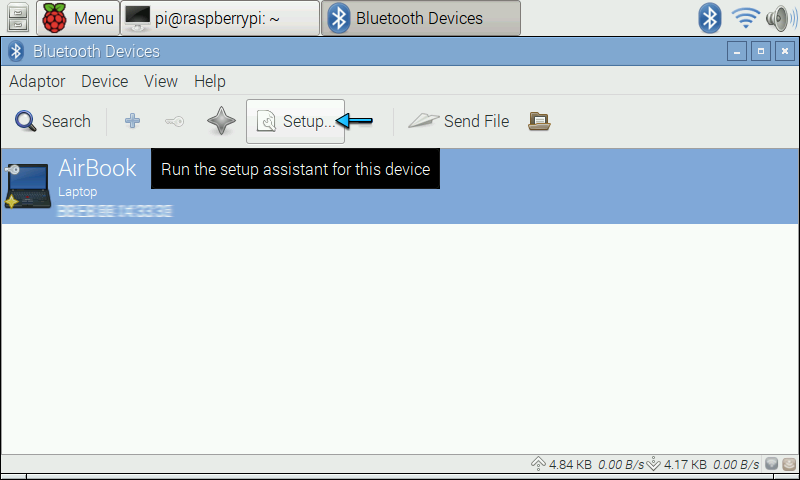
## Step 10
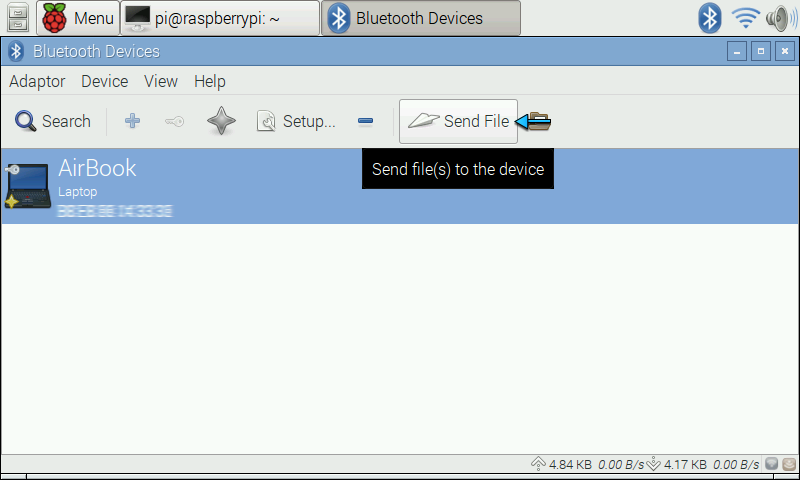
## Step 11
## Step 12
## Step 13
## Step 14