 Easy
Easy
Controlling Plasma 2350 W via Infrared Remote
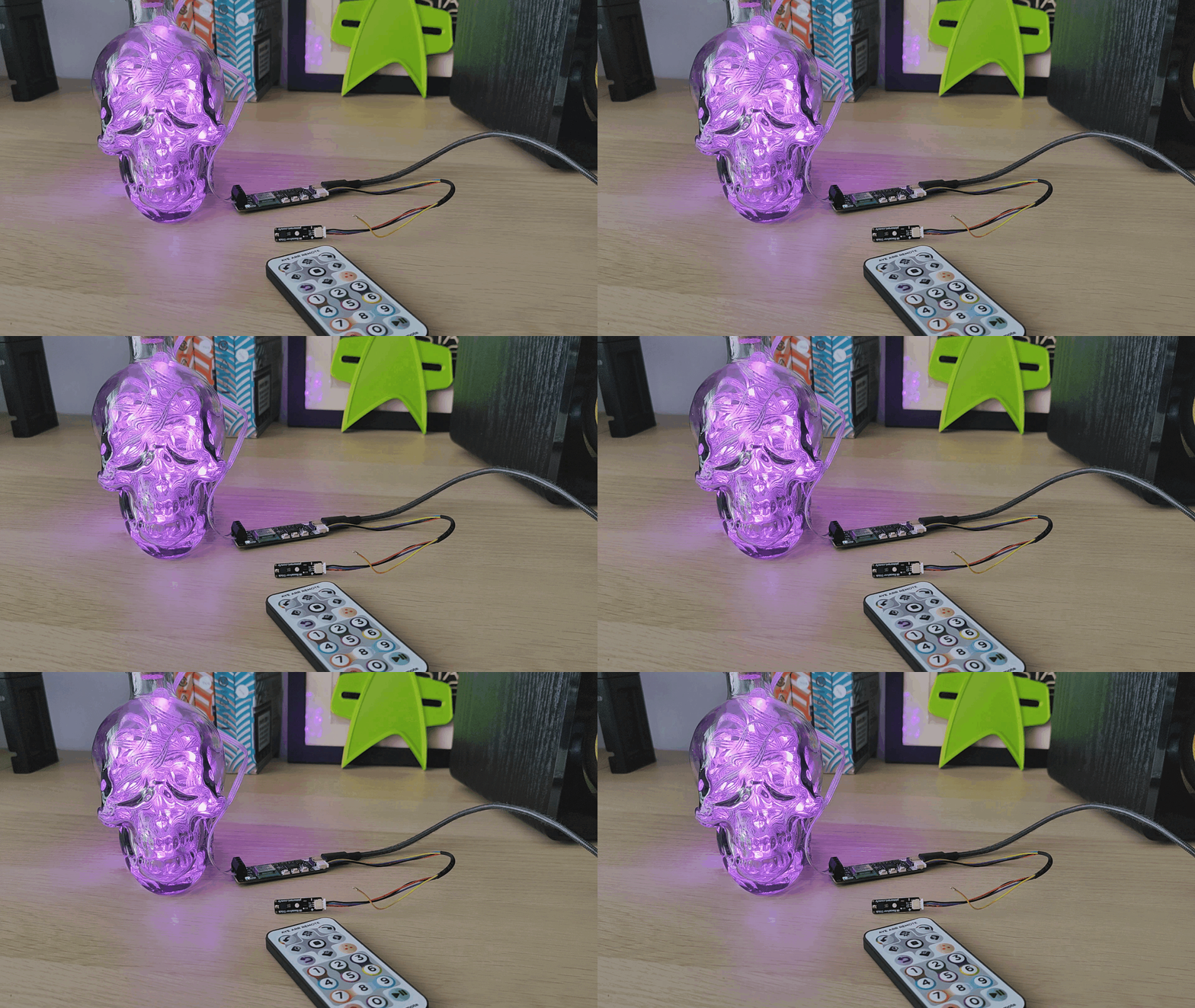
Learn how to connect our Infrared Receiver and Remote Kit up to Plasma (or any board with Qw/ST).
Our Infrared Receiver Stick + Remote Kit works great for adding interactive remote control to your Tiny FX projects but with a little hacking it's possible to use it with other boards too!
In this tutorial we're going to create a 4-pin to 3-pin cable to connect Plasma 2350 W’s Qw/ST port to the 3-pin connector on Infrared Receiver Stick, and then run a quick test to make sure that everything is working.
What you’ll need
- Infrared Receiver Stick + Remote Kit
- Wireless Plasma Kit - we’re using Skully.
- 1 x 4 pin JST-SH to JST-SH (Qw/ST) cable - we're using the 150mm one, but any of the JST-SH to JST-SH ones will work.
- 1 x 3 pin JST-SH to JST-SH cable - we're using the ones that comes in the Infrared Receiver Stick + Remote Kit but if you need a spare you could use this one.
- A computer with Thonny installed.
- A sharp pair of tweezers.
Please note that while this is not a destructive hack, there is a chance that you could damage the pins and their sockets. Take care, don’t brute force their removal and all should be fine.
Removing the connectors
We need to remove one connector from both the three and four pin cables. This isn’t difficult, but there is a knack to it. Carefully follow these steps.
- Flip the four pin connector over so that the small metal tabs are clearly visible.
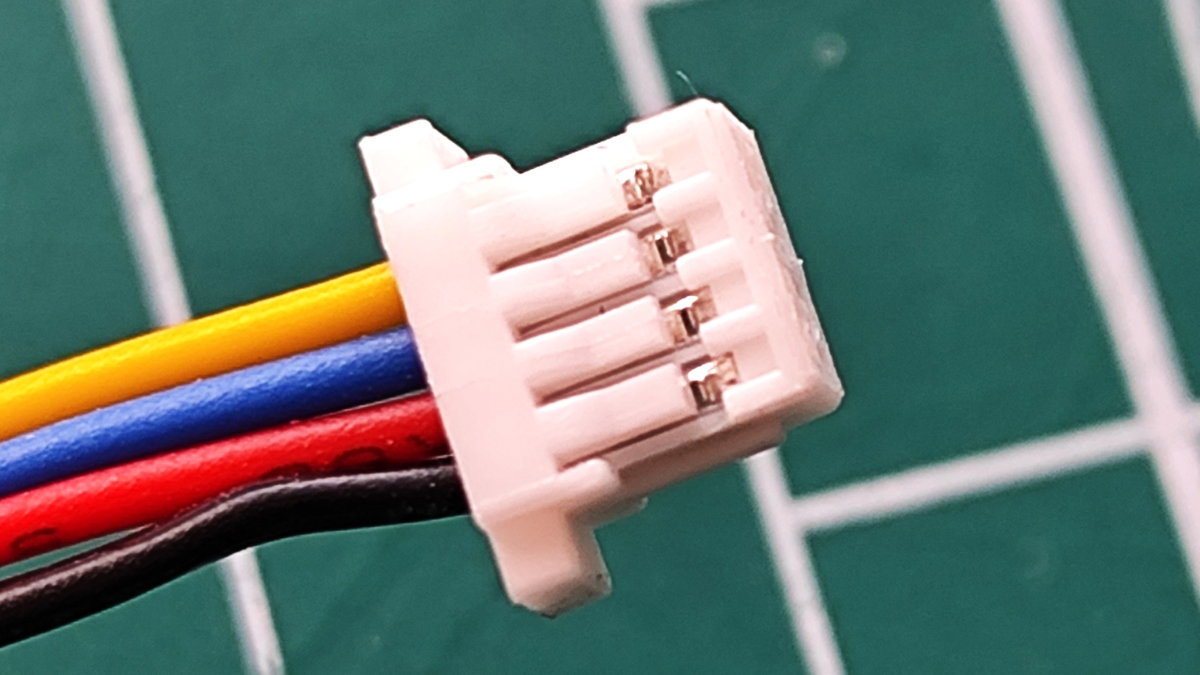
- Insert the sharp tip of the tweezers into the first metal tab and gently, yet firmly, slide the tip of tweezers under the plastic. The goal is to gently lift the plastic so that the retaining catch is lifted free of the metal. The plastic around the tabs is brittle, so take care not to damage it. A blob of modelling clay or blutack is useful to hold the connector.
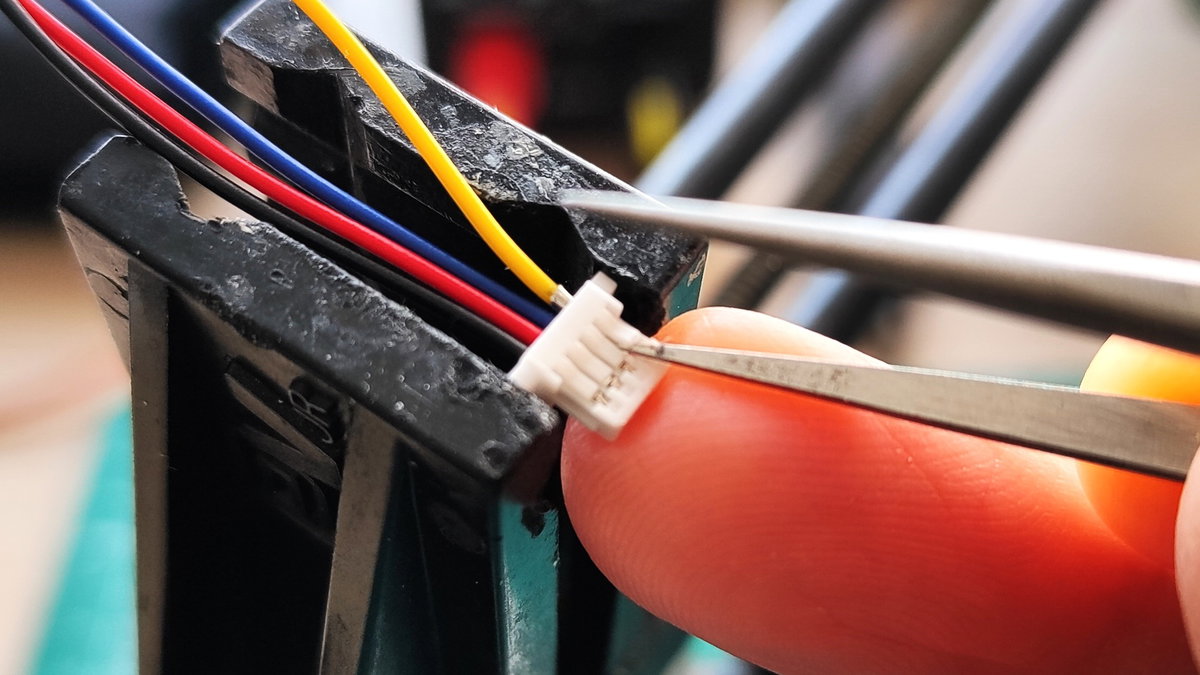
- Gently pull the wire from the connector, it should slowly ease out. If there is resistance, move the tweezers a little and try step 2 again.
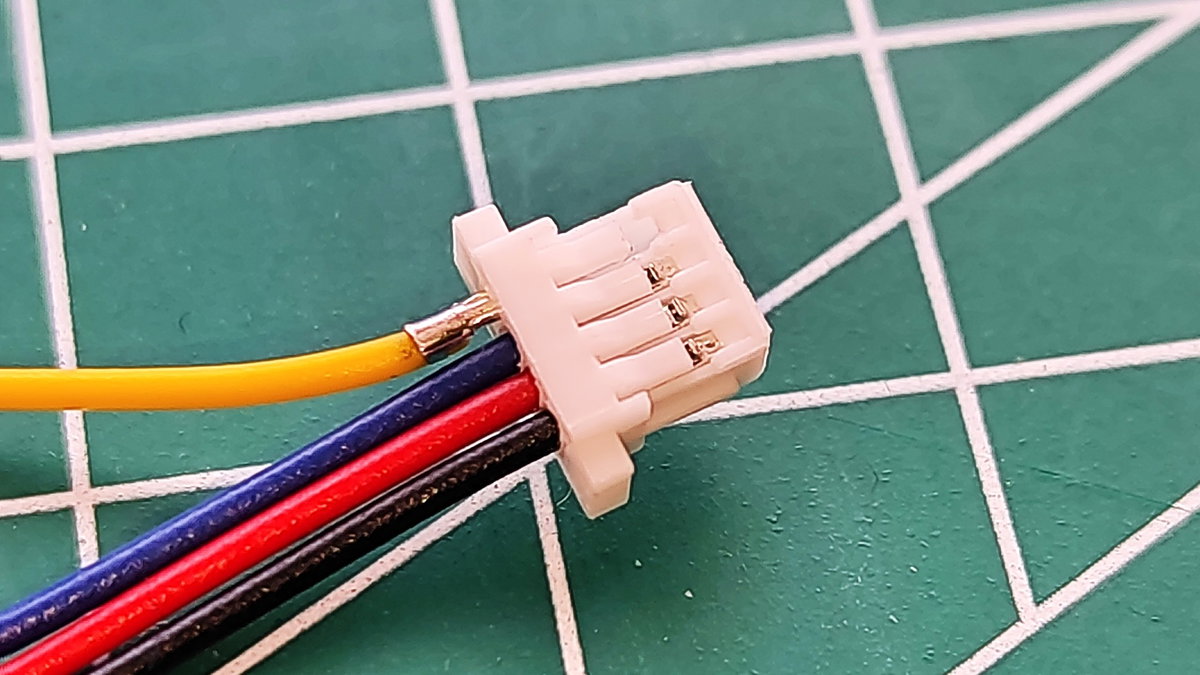
- Remove all of the wires, so that you are left with a plastic connector.
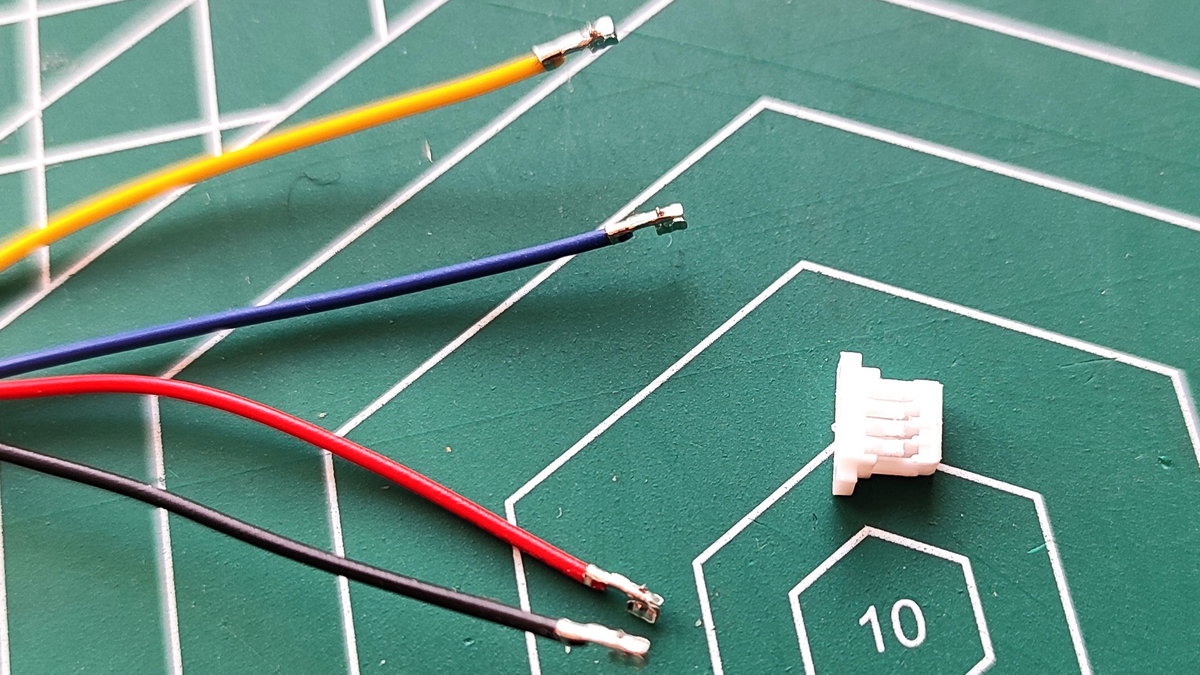
- Repeat this process for the three pin connector.
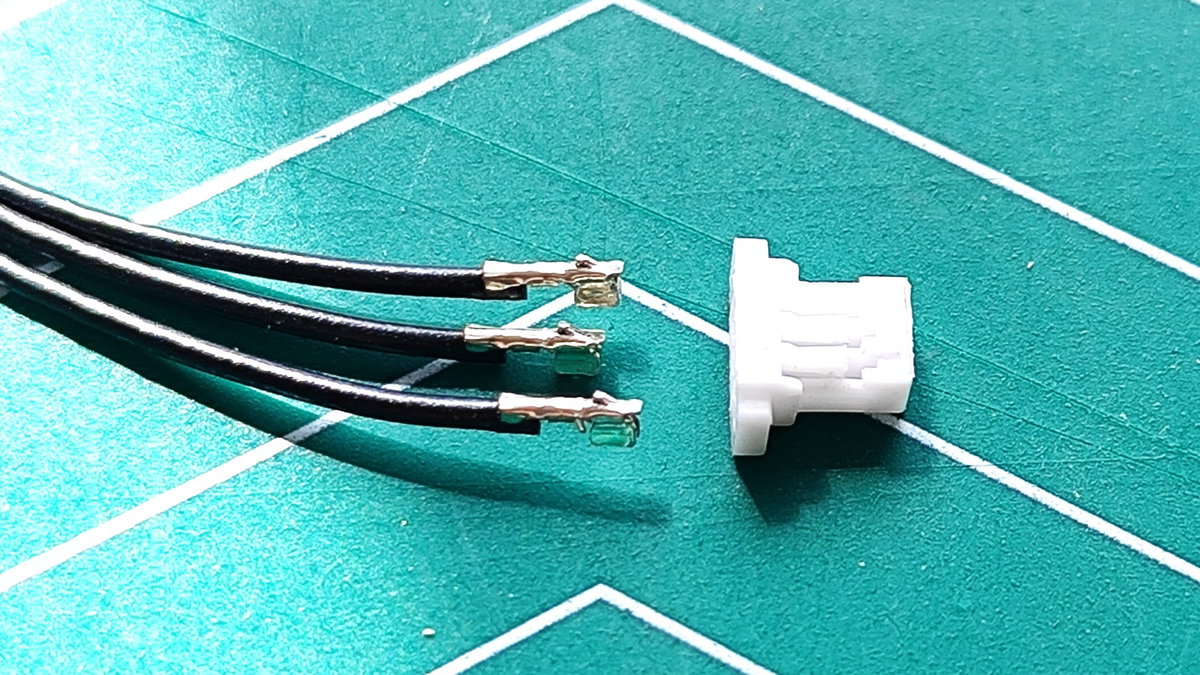
Creating the four to three pin adapter
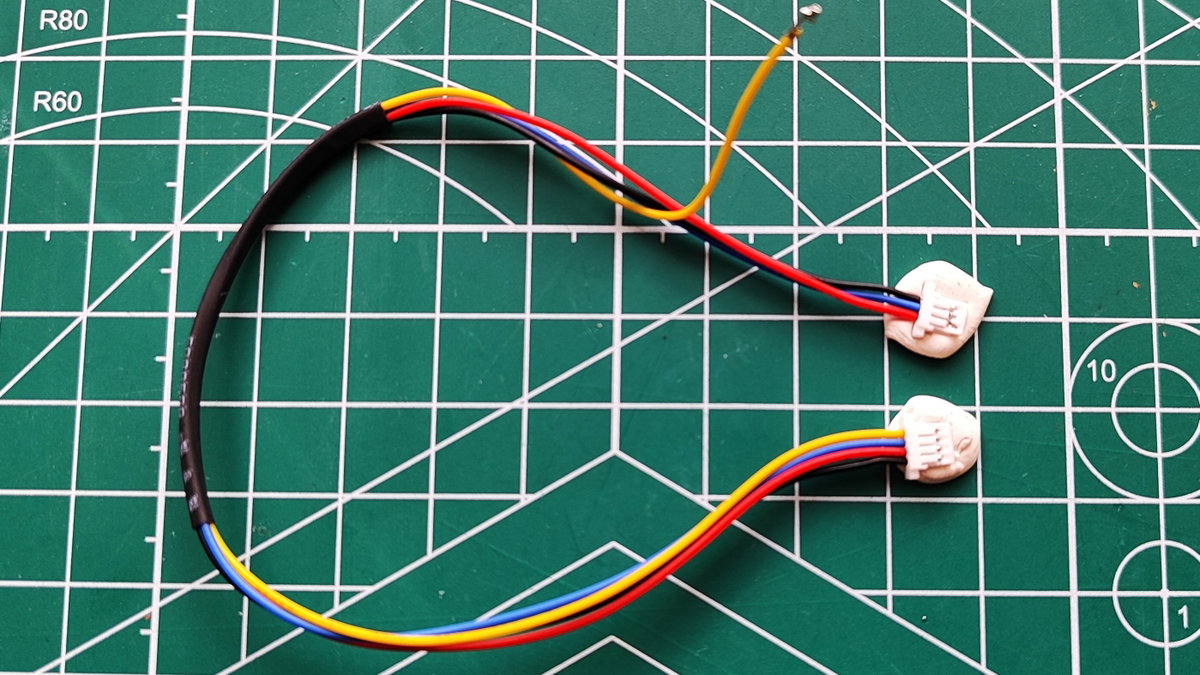
Using the four wires, we are going to insert them into the three pin connector in a specific order. For this we will need no special tools, just patience and to follow this reference which shows the underside (and metal tabs) of the connectors.
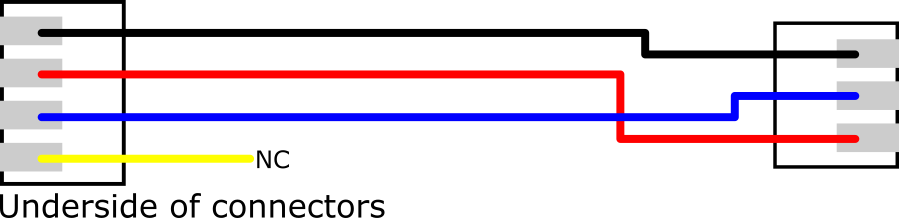
As you can see, the connections are quite simple. The yellow wire is unconnected and can be taped or secured to neaten up the project. Alternatively you can snip the yellow wire, but this is non-reversible and should only be done if you are definitely not going to use it in another project. If you choose to do this, use sidecutters to carefully snip the yellow wire and the wire should just slide under the heatshrink.
You could also remove the heatshrink and the yellow wire completely, as we did here.
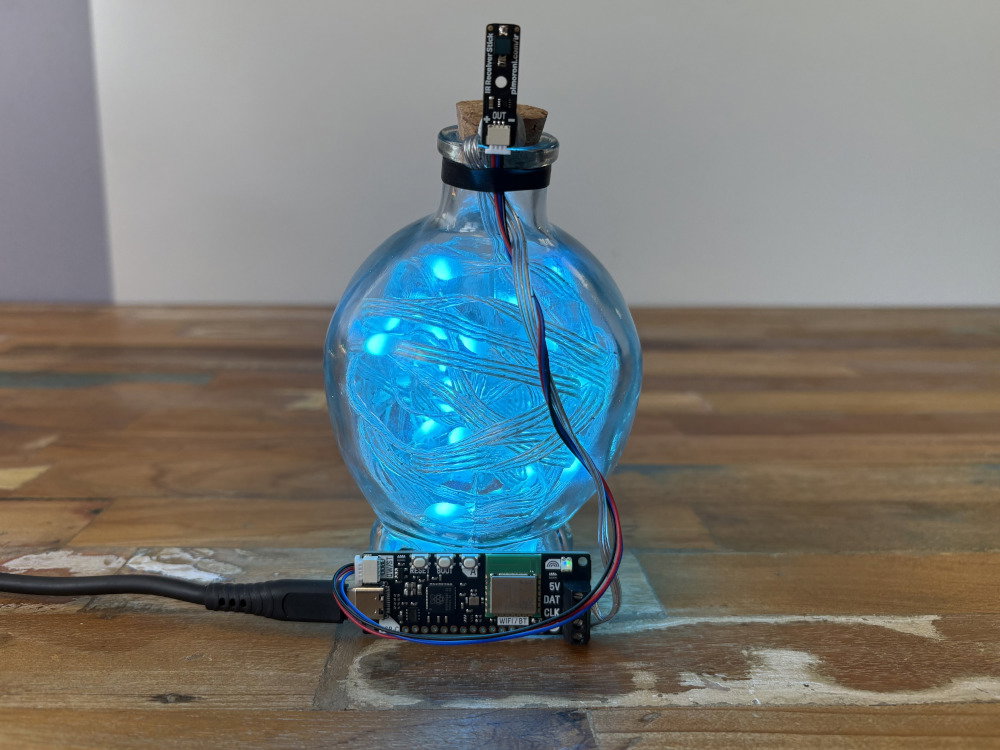
Testing the adapter
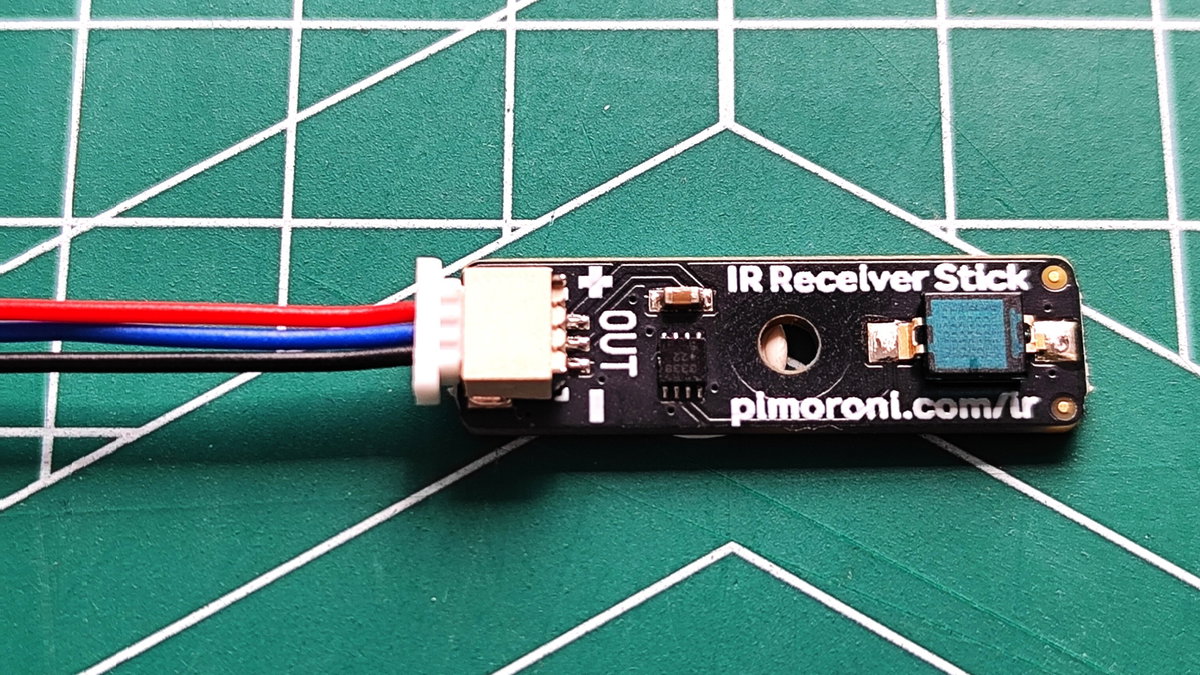
- Connect the three pin connector to the Infrared Receiver Stick.
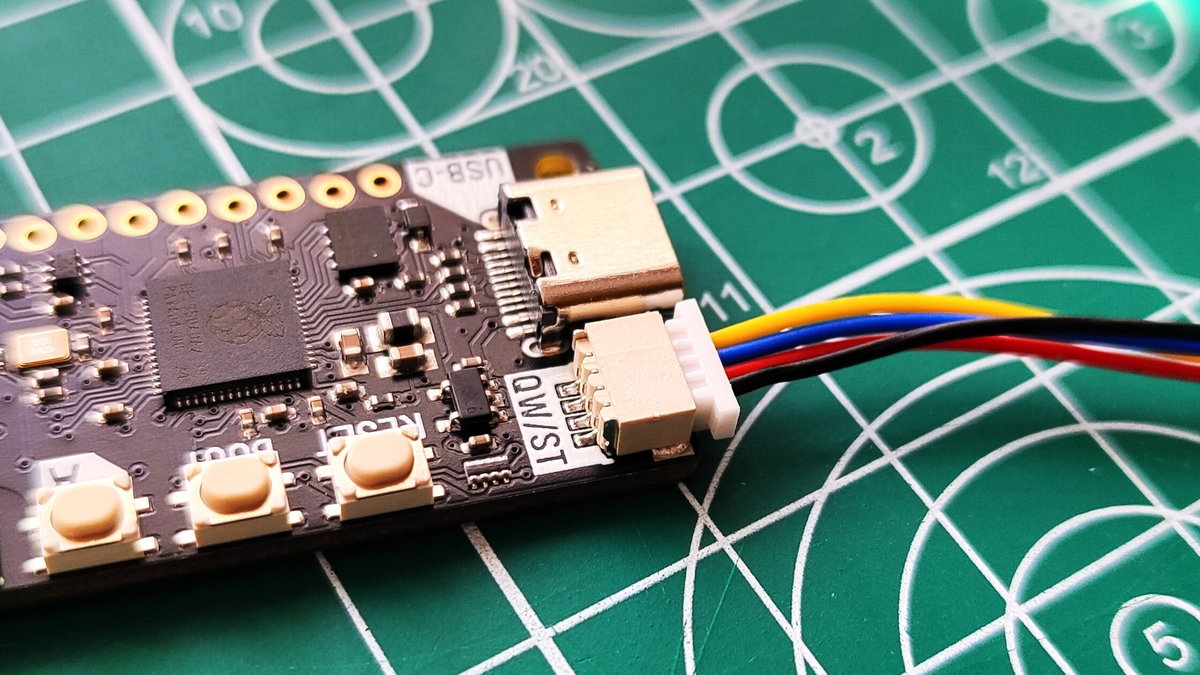
- Connect the four pin connector to Plasma 2350 W’s Qw/ST port.
- Follow the steps in this Learn Guide if you've not yet attached your RGB LEDs to Plasma 2350 W.
- With Plasma 2350W connected to your computer, open Thonny.
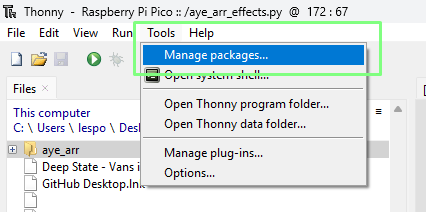
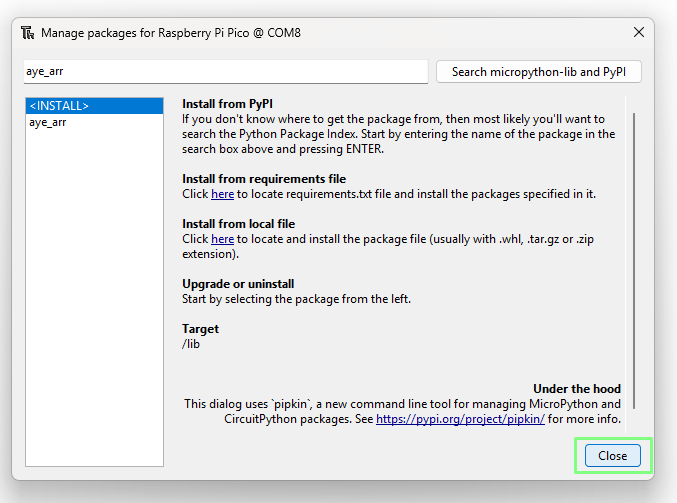
- Click on Tools > Manage Packages
- Search for aye_arr.
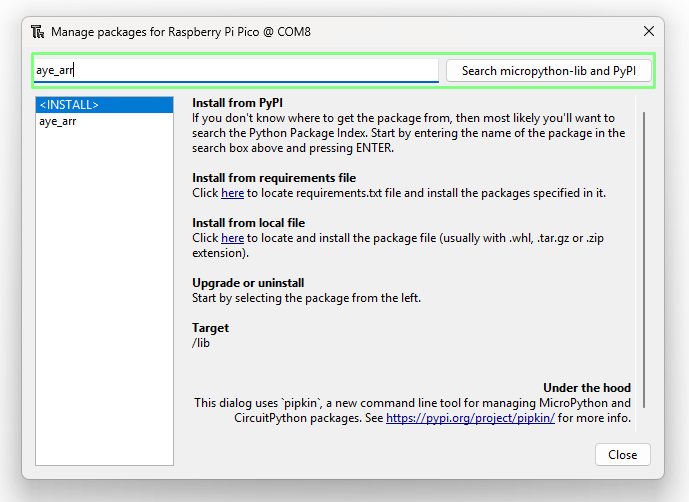
- From the list, click on aye_arr.
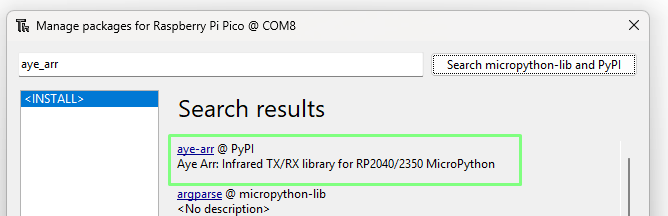
- Click on Install.
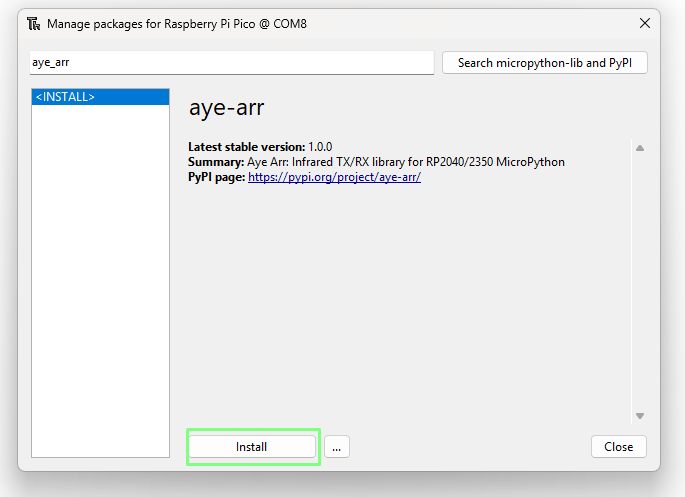
- Click on Yes to approve the installation.
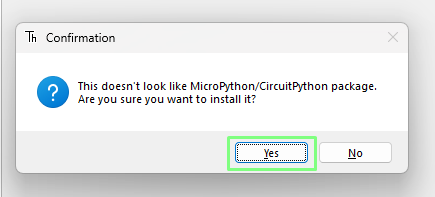
- When prompted, click on Close.
- Create a new file and paste this file into the blank file. There are several Plasma infrared examples to choose from but we chose this one because it is really cool.
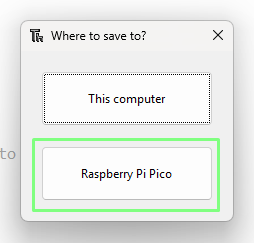
- Save the file to the Plasma 2350 W (Raspberry Pi Pico in Thonny) as
effects_control.py(ormain.pyif you want it to start automatically when Plasma gets power).
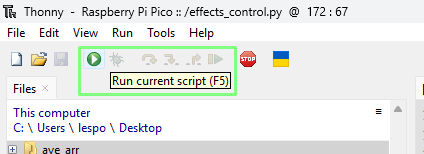
- Click on Run to start the code.
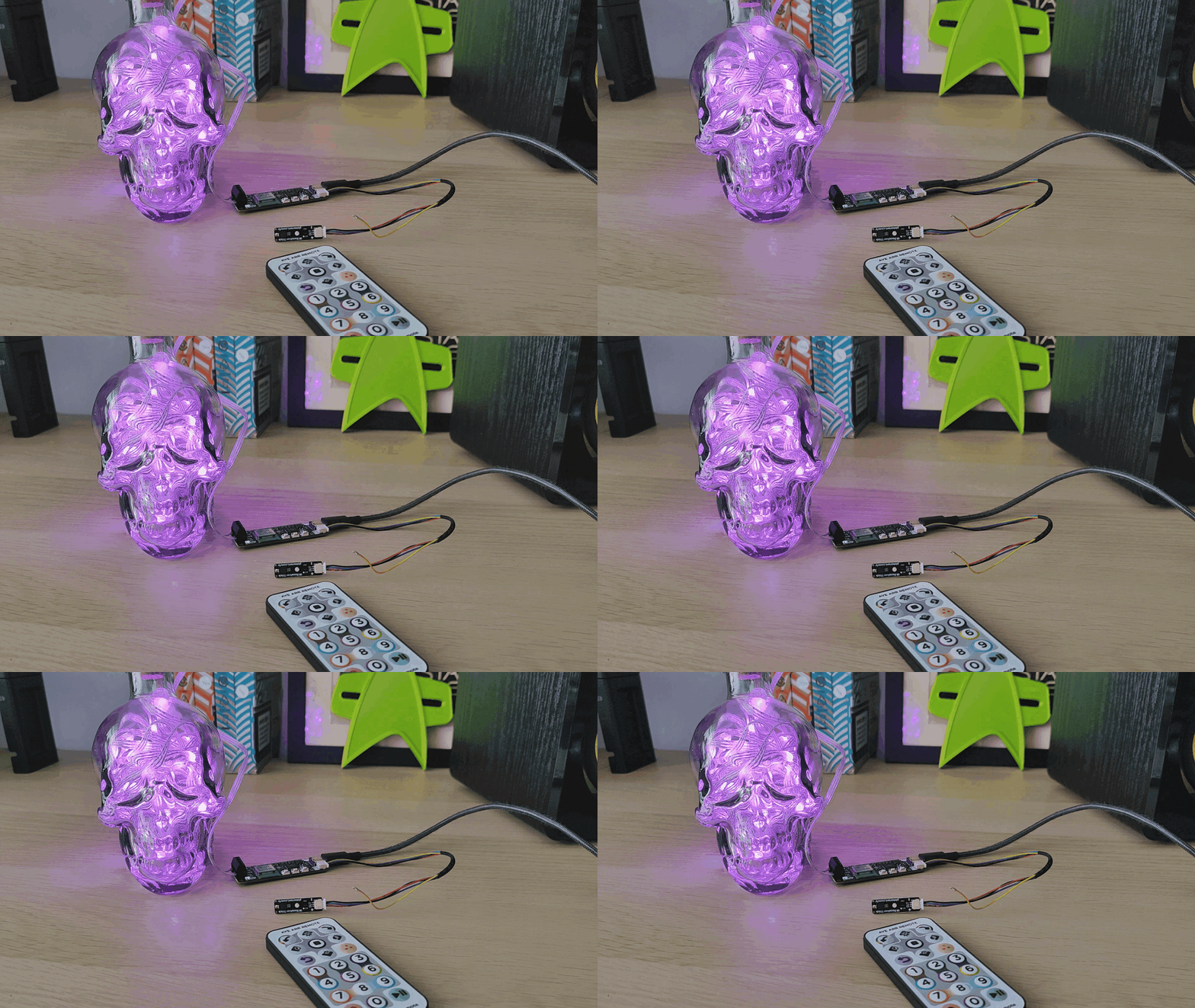
- Using Aye Arr remote, press numbers 1 to 3 to change from twinkle, pulse and blink. Use the up and down arrows to control the brightness, and the clockwise and anti-clockwise buttons to change the hue.
Next steps
You could use a modified cable like this to connect Infrared Receiver Stick (or PIR Stick) up to any board with a Qw/ST connector, not just Plasma - click here to view everything Qw/ST.
Note the caveat though that these three pin sensors are not I2C - they use the data line as standard GPIO. This means you won't be able to use one at the same time as other I2C sensors that are connected to the Qw/ST data pins.