 Easy
Easy
Build A Motion Activated Light Up Skull
Combine Plasma 2350 and a PIR sensor for a quick and easy interactive Halloween display to startle trick-or-treaters.
Build A Motion Activated Light Up Skull
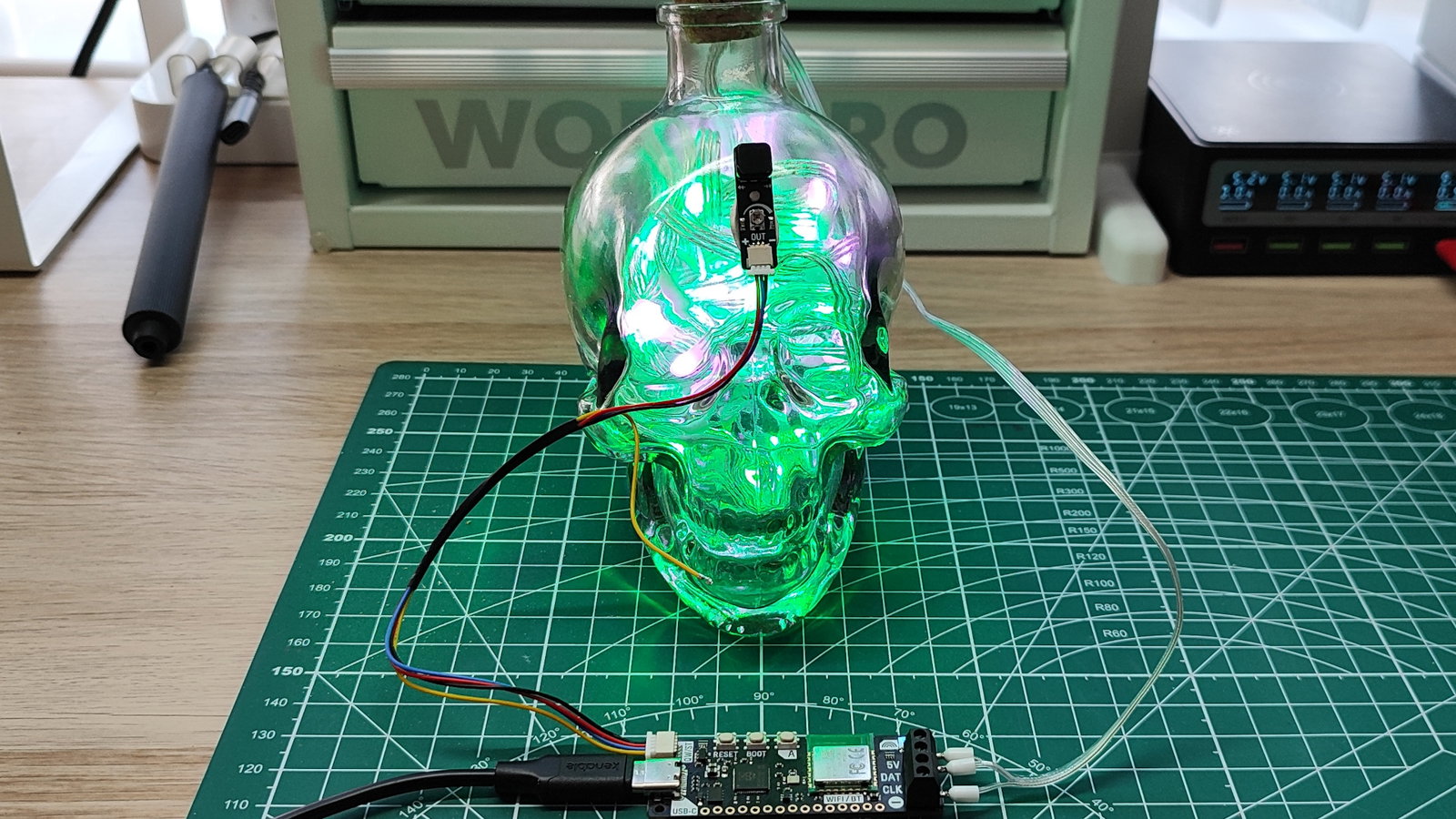
We don't really need an excuse to add RGB LEDs to stuff, but as the dark nights draw closer, it is a great time to add some light to your home. In this project we will create a light up skull bottle using Plasma 2350 and a strip of WS2812B RGB LEDs, better known as "NeoPixels".
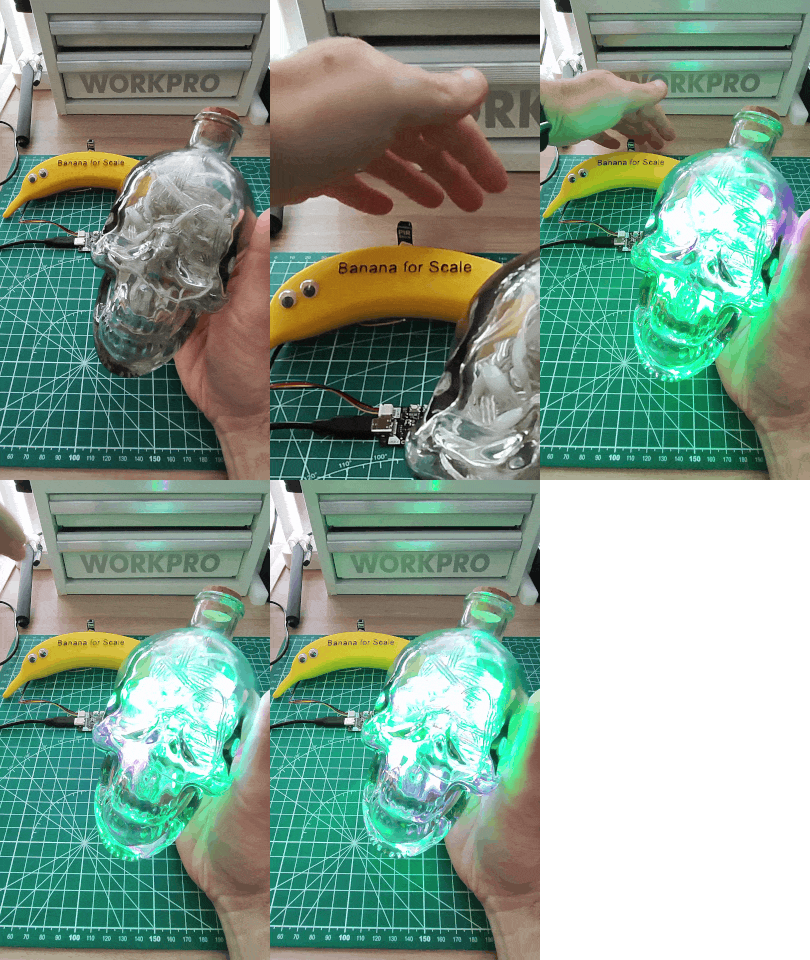
With a wave of your hand, the skull will light-up in a theatre chase pattern that lasts for ten seconds. Then the LEDs turn off and a loop repeats the code ready for the next wave of a hand, or for someone to walk past and get a fright!
What You'll Need
Connecting PIR Stick to Plasma 2350
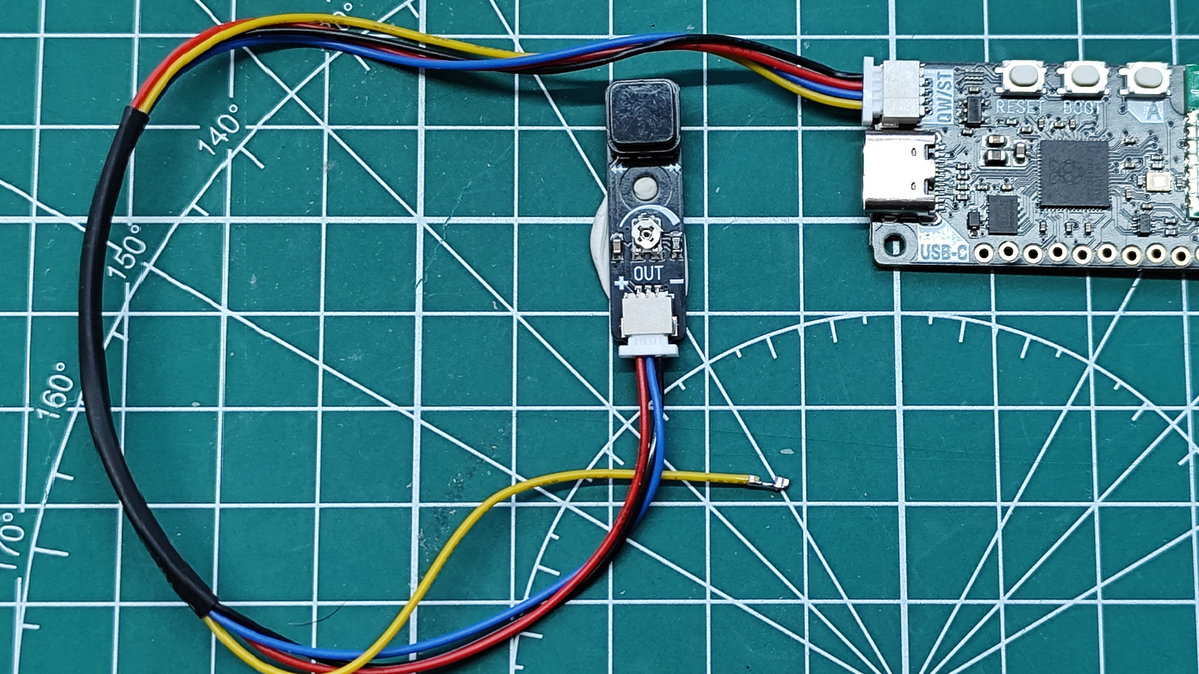
The PIR Stick has a three pin connector, but the Qw/ST connector on Plasma 2350 is four pin. In order to connect the two we need to follow this guide, specifically the sections on Removing the Connectors and Creating the four to three pin adapter.
Mounting your PIR Stick to a vertical surface is important. The sensor is expecting something between 2 and 3 metres in front of it. So have the sensor mounted so that it points out into where you want people to trigger it.
Connecting the RGB LEDs to Plasma 2350
The 5V / + / VCC wire on these LED strips is the one marked with dots. The DATA (DAT) / PIXELS wire is the one in the middle, and the GROUND / - wire is the one on the other edge (that doesn't have dots). We have a full guide that you can follow.
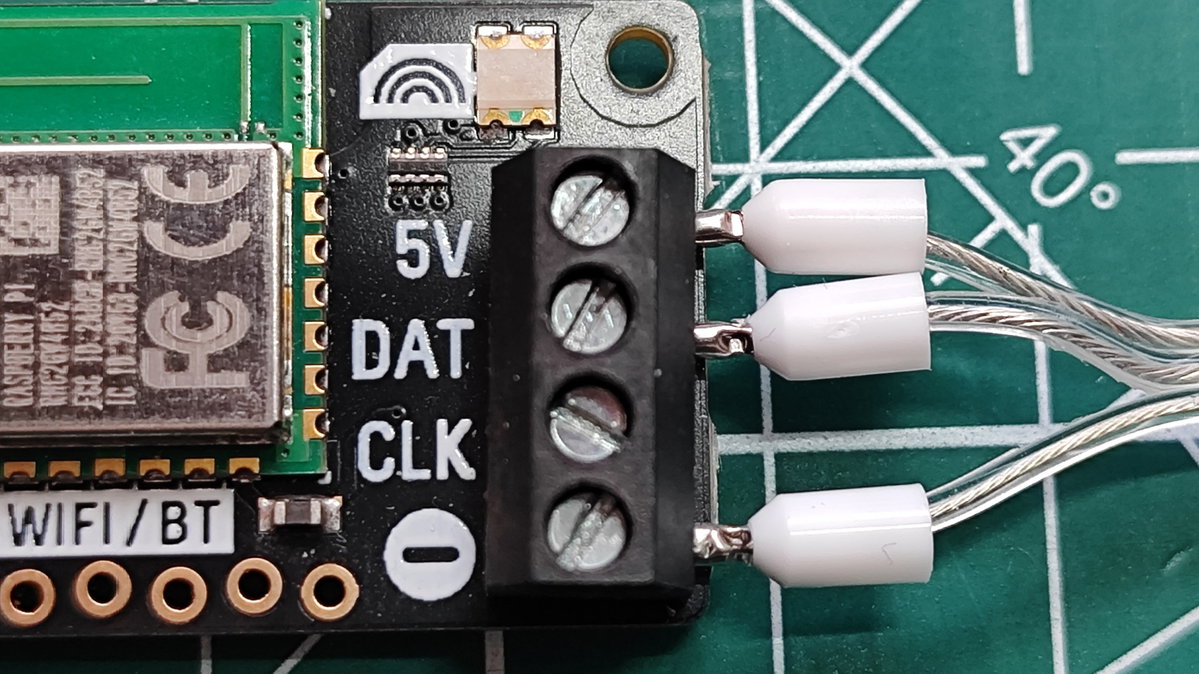
We added ferrules to the wires to provide a little extra mechanical connection and protection. Bare wires into the terminal block can be gently twisted to provide a firmer connection. Adding ferrules is an optional step and would require the correct equipment.
Coding the project
Import a series of pre-written MicroPython code modules.
- Time: Enables us to pause between steps in the code.
- Plasma: A helper module that enables easy control of the LEDs.
- Machine: Used to set up Plasma's GPIO pins.
import time
import plasma
from machine import Pin
Create three constants for the number of LEDs, how long the chase animation will play for, and the speed at which the LEDs change colour.
NUM_LEDS = 50
CHASE_SECONDS = 10   # how long the chase runs after movement
SPEED = 0.1          # delay between steps (smaller = faster)
Create three tuples (a fixed set of values that cannot be changed) that contain the RGB colour values for purple, green and off.
PURPLE = (128, 0, 128)
GREEN = (0, 255, 0)
OFF = (0, 0, 0)
Use a variable,
led_stripto set up the RGB LEDs. We use theNUM_LEDSconstant to set the number of LEDs that we want to control, then we set the colour order to use RGB. Some strips use GRB order instead, so(255, 0, 0)would show green rather than red. If your colours look wrong, tryCOLOR_ORDER_GRB.led_strip = plasma.WS2812(NUM_LEDS, color_order=plasma.COLOR_ORDER_RGB)Create a variable,
pirthat references the PIR Stick connected to the Qw/ST port. The Qw/ST port uses GPIO 20 for the connection and we set the pin to be an input.pir = Pin(20, Pin.IN)Ready the LED strip for use.
led_strip.start()Create a function,
chase_step()which uses aforand twoifconditionals with an offset to create a "theatre lights" chase pattern using green and purple LEDs. The offset pattern changes every loop, causing the "chase" effect. Theelsecondition creates the gaps in the theatre chase sequence.def chase_step(offset): for i in range(NUM_LEDS): position = (i + offset) % 3 if position == 0: led_strip.set_rgb(i, *PURPLE) elif position == 1: led_strip.set_rgb(i, *GREEN) else: led_strip.set_rgb(i, *OFF)When Plasma powers up we need to turn off the LEDs before they are triggered. Using a
forloop we iterate over all 50 LEDs, setting them to off (0,0,0).for i in range(NUM_LEDS): led_strip.set_rgb(i, *OFF)Using a
while Trueloop, check if the PIR sensor has been triggered, which would change the value to1. If thepir.value()changes to1it indicates that something has moved in front of the sensor and we use that as the trigger.while True: if pir.value() == 1: print("MOVEMENT DETECTED")Use a variable
stepsto store the correct number of steps to animate the theatre chase. This uses the result of dividing theCHASE_SECONDSby theSPEED(delay between steps) to get the correct number of steps.
steps = int(CHASE_SECONDS / SPEED)
- Use the
stepin aforloop that calls thechase_step()function and pauses for the duration stored inSPEED.
for step in range(steps):
chase_step(step)
time.sleep(SPEED)
- When the effect is finished, we need to turn off all the LEDs and then pause before the loop restarts. The very short pause is there to reduce the workload on the CPU.
for i in range(NUM_LEDS):
led_strip.set_rgb(i, *OFF)
time.sleep(SPEED)
- Click on
File >> Saveand select "Raspberry Pi Pico" then save the code to Plasma 2350 asmain.py. By naming the filemain.pyPlasma will automatically run the code when it powers up. - Press RESET on Plasma 2350 to power cycle the board.
- Wave your hand in front of the sensor to see the theatre chase lights appear.
Complete Code Listing
import time
import plasma
from machine import Pin
NUM_LEDS = 50
CHASE_SECONDS = 10
SPEED = 0.1
PURPLE = (128, 0, 128)
GREEN = (0, 255, 0)
OFF = (0, 0, 0)
led_strip = plasma.WS2812(NUM_LEDS, color_order=plasma.COLOR_ORDER_RGB)
pir = Pin(20, Pin.IN)
led_strip.start()
def chase_step(offset):
    for i in range(NUM_LEDS):
        position = (i + offset) % 3
        if position == 0:
            led_strip.set_rgb(i, *PURPLE)
        elif position == 1:
            led_strip.set_rgb(i, *GREEN)
        else:
            led_strip.set_rgb(i, *OFF)
for i in range(NUM_LEDS):
    led_strip.set_rgb(i, *OFF)
while True:
    if pir.value() == 1:
        print("MOVEMENT DETECTED")
steps = int(CHASE_SECONDS / SPEED)
        for step in range(steps):
            chase_step(step)
            time.sleep(SPEED)
        for i in range(NUM_LEDS):
            led_strip.set_rgb(i, *OFF)
    time.sleep(SPEED)
What Have We Learnt?
- How to connect RGB LED "NeoPixels" to Plasma 2350.
- How to connect PIR Stick sensor to Plasma 2350.
- How to control RGB LED colours using code.
- How to detect and react to movement using a PIR sensor.